New Role Permission: Access to Unassigned Chats

Available exclusively for customers on the Plus Plan.
We’ve added a new role permission that allows agents to access unassigned chats.
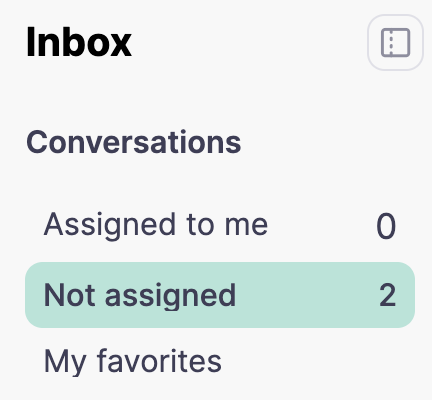
✨ How it works
Agents with this permission will be able to see:
Chats assigned to them
Chats not assigned
⚠️ They will not see conversations assigned to other agents.
💡 Why it matters
This feature helps companies that want to:
Prioritize speed of response by giving agents flexibility to pick up new chats as soon as they arrive.
Protect privacy by ensuring agents don’t have visibility into conversations assigned to others.
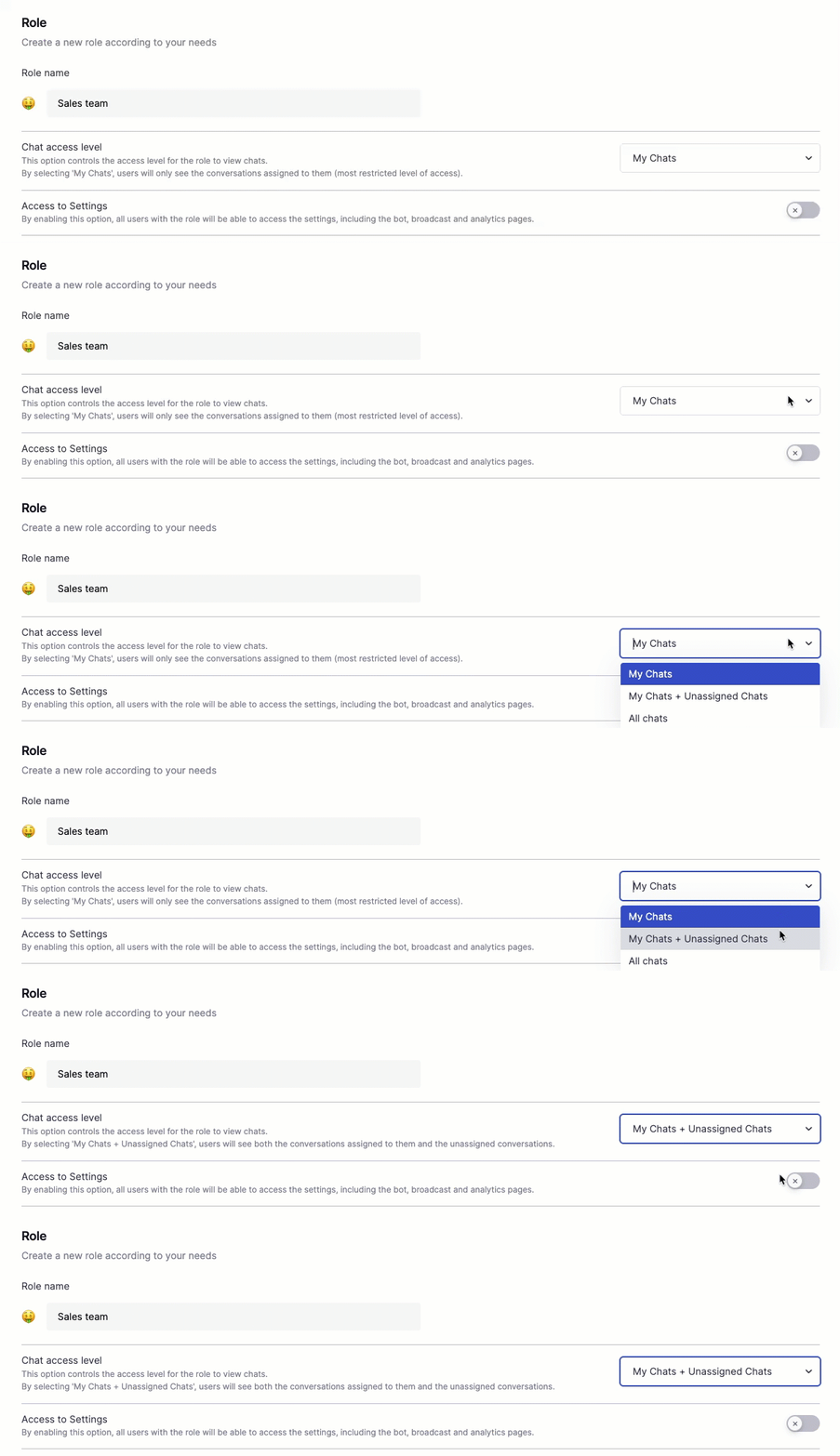
⚙️ How to enable it
Go to the Roles page.
Create a new role.
Under Chat access level, select “My Chats + Unassigned Chats”.
Any questions, feel free to reach out to our support team.
3 comments